
How it works
In the console → Resource sharing you create an offer for connected servers: which servers, which weekdays, which hours (Tehran time) and what share of CPU and RAM. whycloud runs isolated jobs such as runners and processing only inside that window and within those limits.
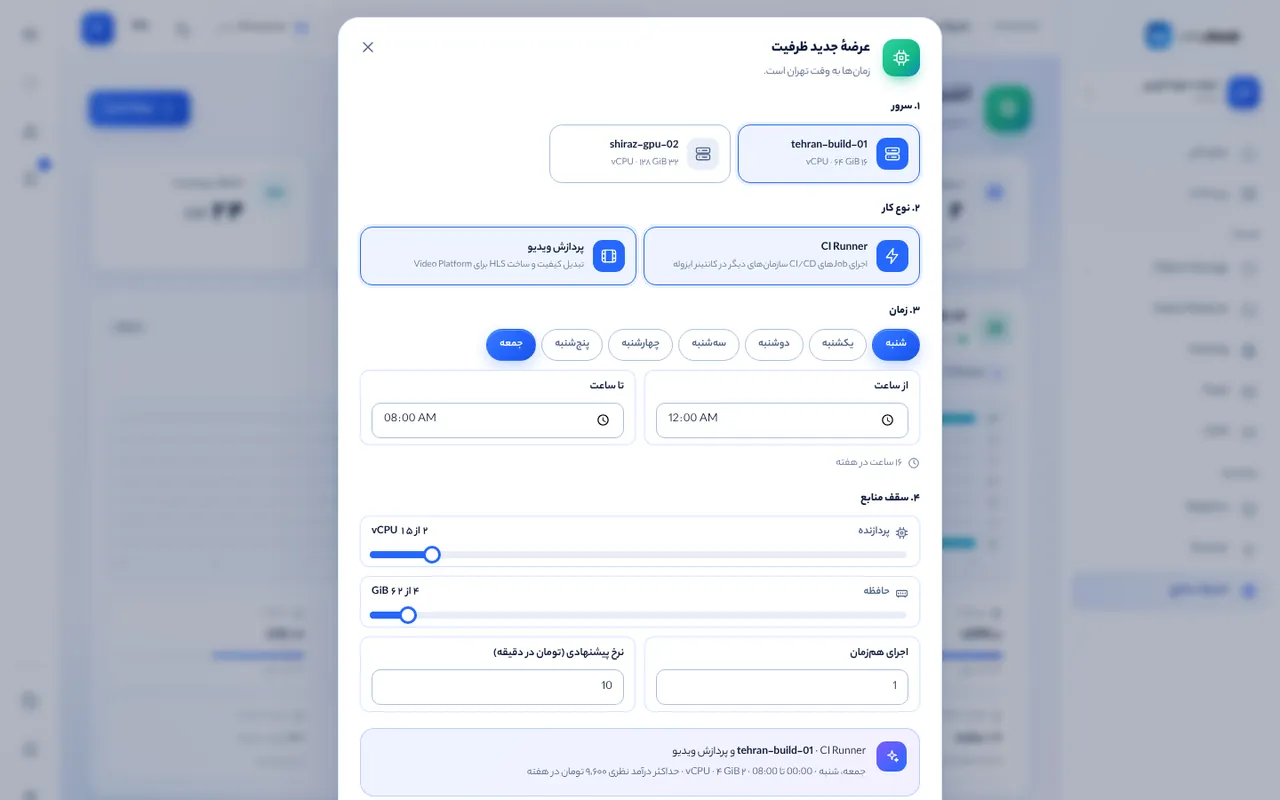
Create an offer
Click “New offer”, choose servers and workload types, tick the days and set start and end times. Overnight windows (for example 22:00–06:00) are supported. Set CPU and RAM caps with the sliders; the summary shows weekly capacity.
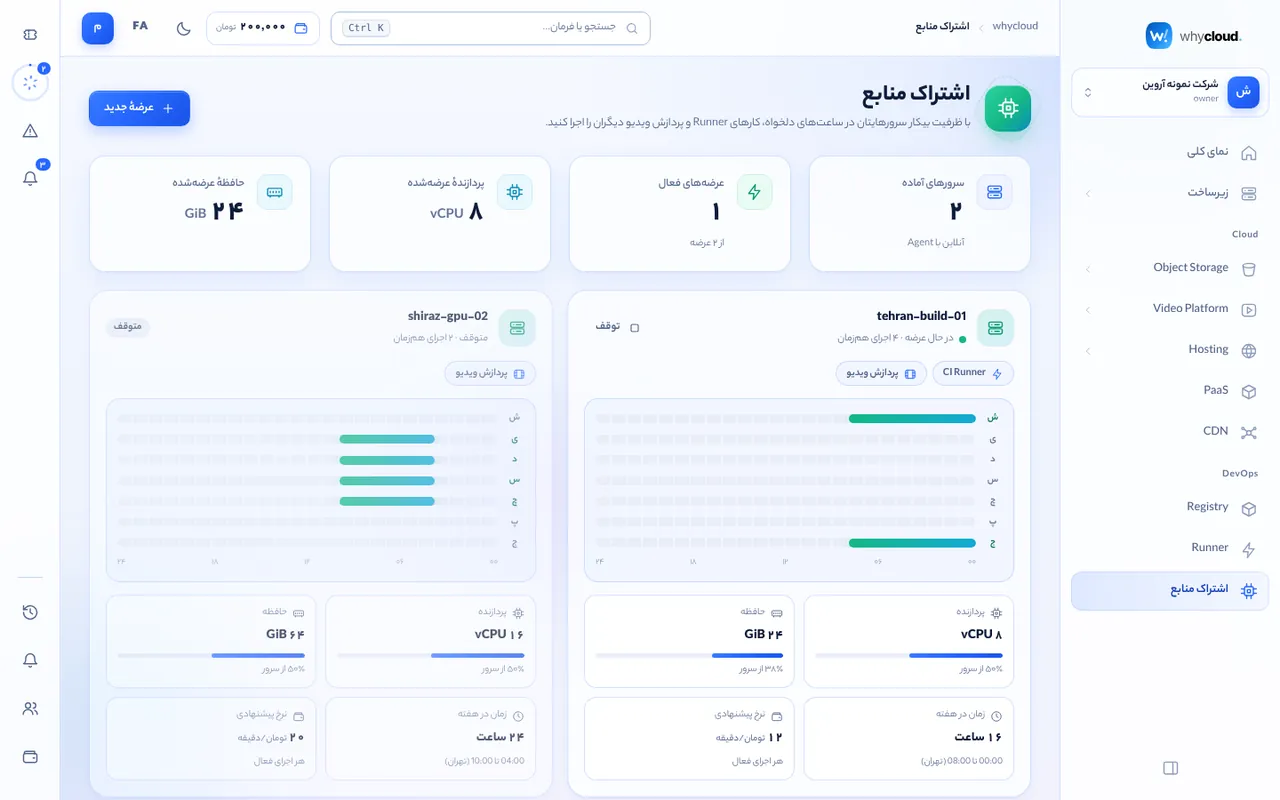
Offer cards
Each card shows the weekly schedule as a timeline, shared resources and current state. Pause or delete an offer at any time.
Security
Jobs run in resource-limited containers without host file access or extra privileges. Nothing runs outside your window.